Grave84
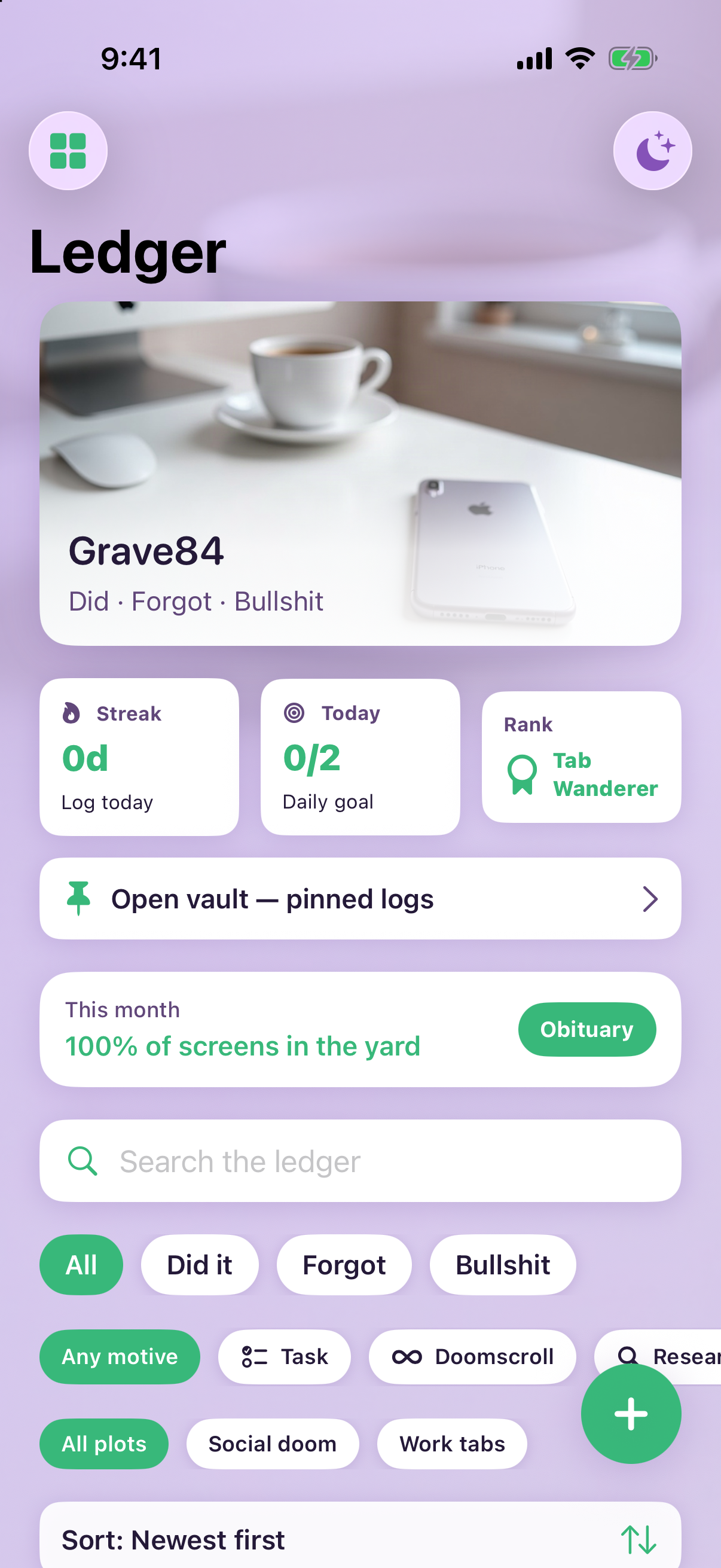
Screen ledger
Tag each screen you open — Did it, Forgot, or noise — and watch your monthly graveyard score take shape.
A calm log for screen habits: bury entries on your timeline, sort them into plots, and read the Obituary when the month closes.

How burying works
Three beats — log, review, adjust — without pretending to spy on your other apps.
-
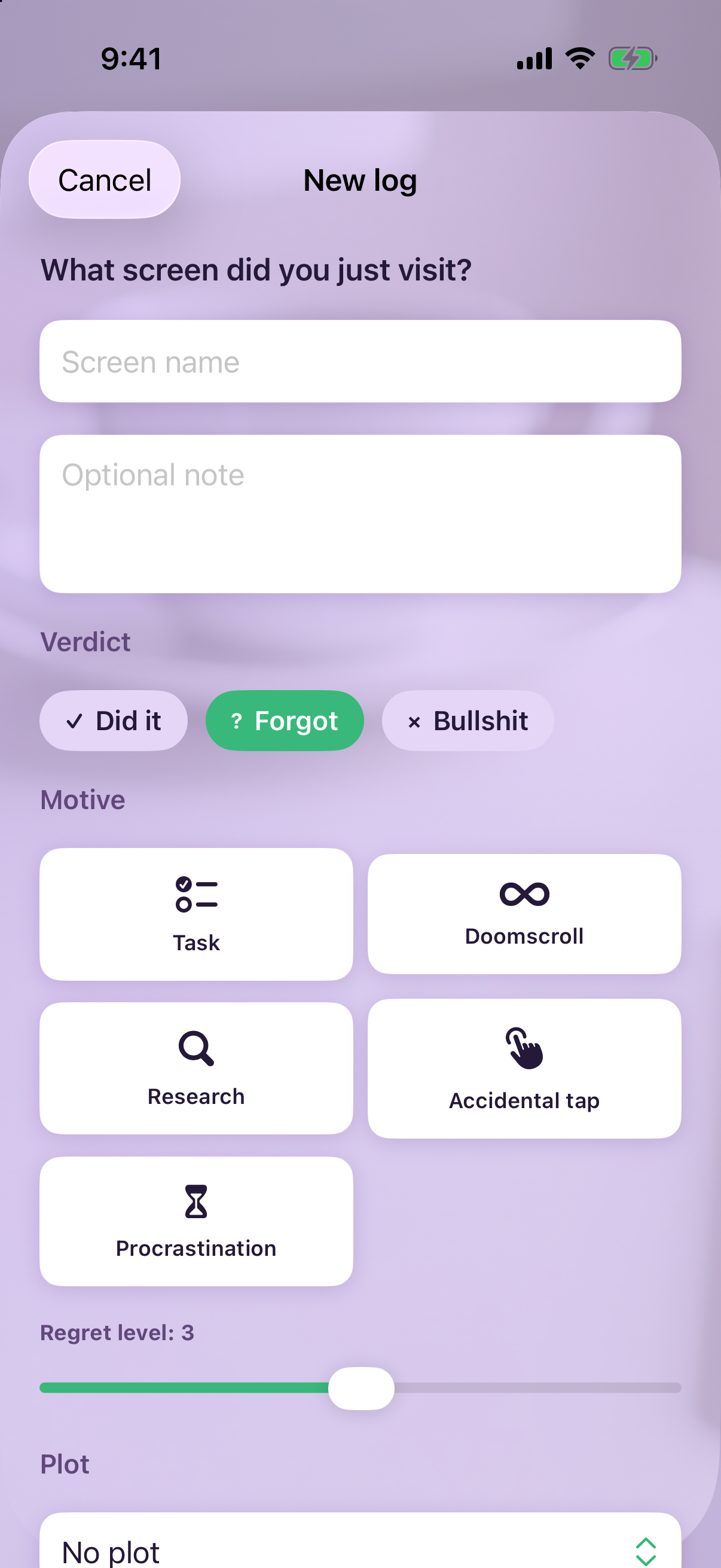
Bury in a few taps
Log the app or page you just left, pick a verdict, and optional motives. Your timeline becomes a readable ledger instead of a blur.
-
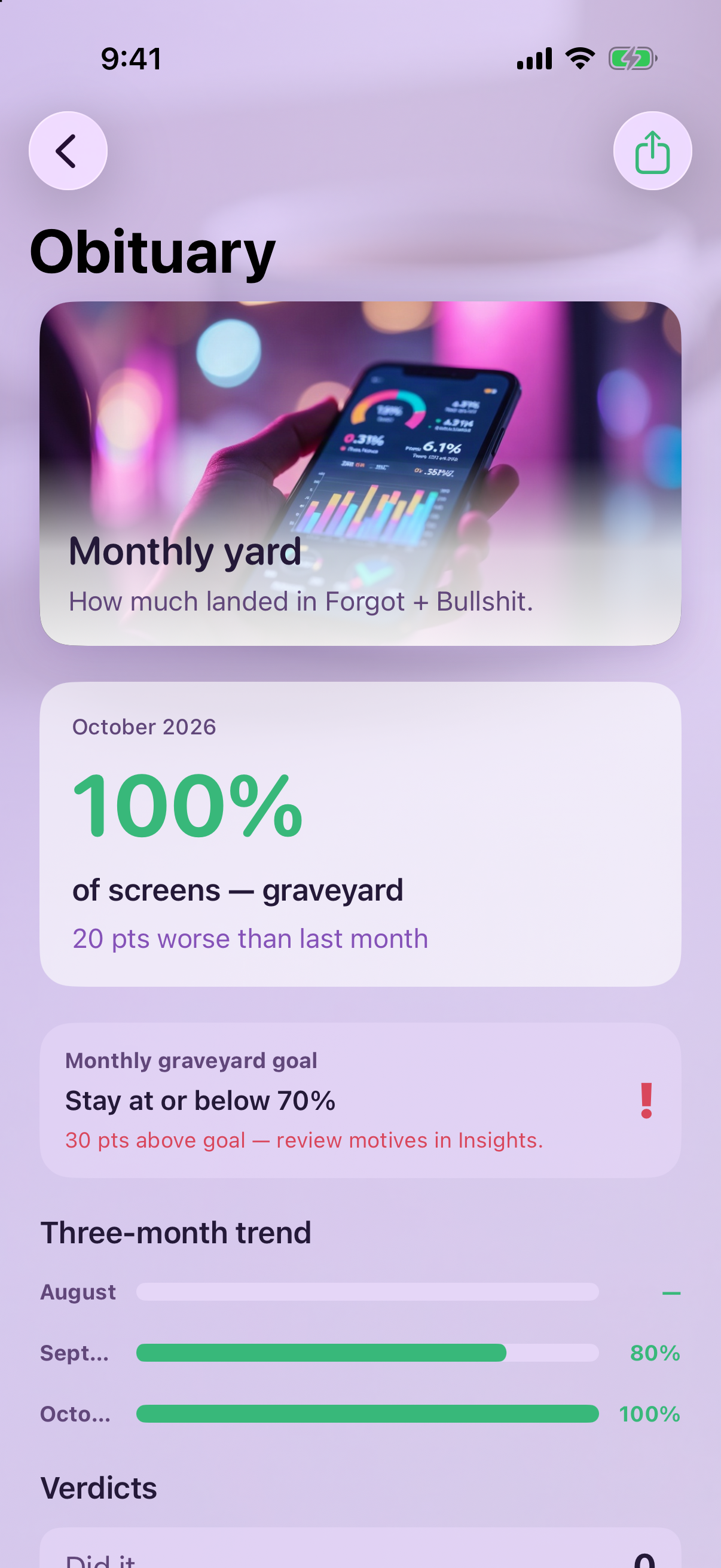
Monthly Obituary
Roll up graveyard percent, verdict counts, and plot breakdowns. Set a monthly ceiling and see whether you stayed under it.
-
Plots, Vault, and Ritual
Folder screens into plots, pin keepers in Vault, and use Daily ritual plus Insights and Heatmap to spot repeats before they stick.
Inside the crypt
Real captures from Grave84 — timeline, Obituary, and the hub menu.
Built for honest awareness
Playful graveyard metaphors — serious about clarity at month end.



Privacy Policy
Grave84 stores the entries you create on your device. We do not sell personal data.
Support
Help with Grave84 — setup, exports, reminders, and troubleshooting.